Coveo Web scraping helps solve ‘The Ingestion Problem’
Even with Google Lighthouse and Webmaster tools, pushing the web kicking and screaming to a cleaner and more structured future from an ingestion perspective the web is still a hot mess. In business cases the reality is that taxnomoies and expected structures are just not present in the final html and the task of ‘fixing the source’ is usually not undertaken. The victim to this prioritization is the end user and the search experience. There are a variety of Machine Learning tools that can help with this but these again are not an insignificant investment. If you are working with Coveo… enter webscraping.
What is Coveo?
Coveo cloud-based enterprise search platform (relevance platform) that helps business deliver better experiences for their users by boosting worker productivity, improving customer self-service, and increasing revenue in ecommerce. What I like about Coveo is their philosphy around delivering relevant information (including people, documents, and expertise) within context of the user journey, regardless of where the data lives.
What is web scraping in Coveo?
Web scraping is a configuration option in Sitemap and Web sources in Coveo that simplifies ingestion by providing administrators the ability to clean up content as it is indexed instead of having to update the source system. You can excule sections of content to reduce noise, generate ‘sub-items’ (like answers to questions) and even create metadata.
Getting Started
Prerequisites
- An understanding of CSS selectors (required)
- An understanding of XPATH (optional)
- Webscraper Helper Chrome Plugin also available on Github
- Access to a Coveo org with a Web or Sitemap Connector
While you can configure the webscraping configuration by just writing JSON the experience is much smoother using the plugin.
Open Webscaper
With the plugin enable you just need to inspect element and navigate to the ‘Web Scraping’ tab.
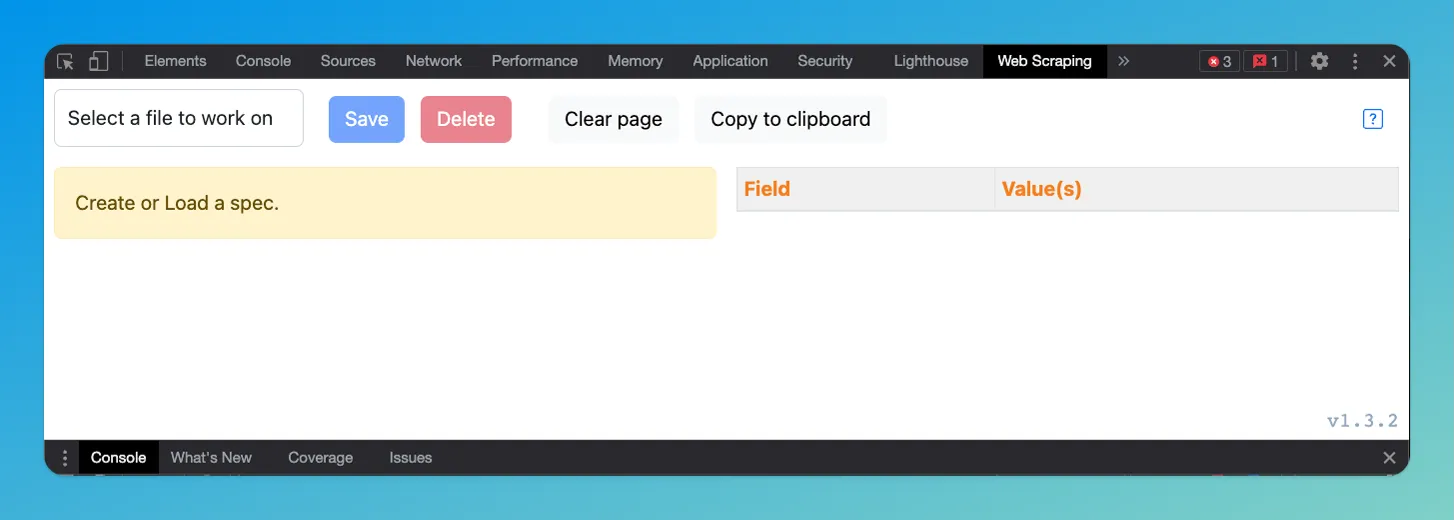
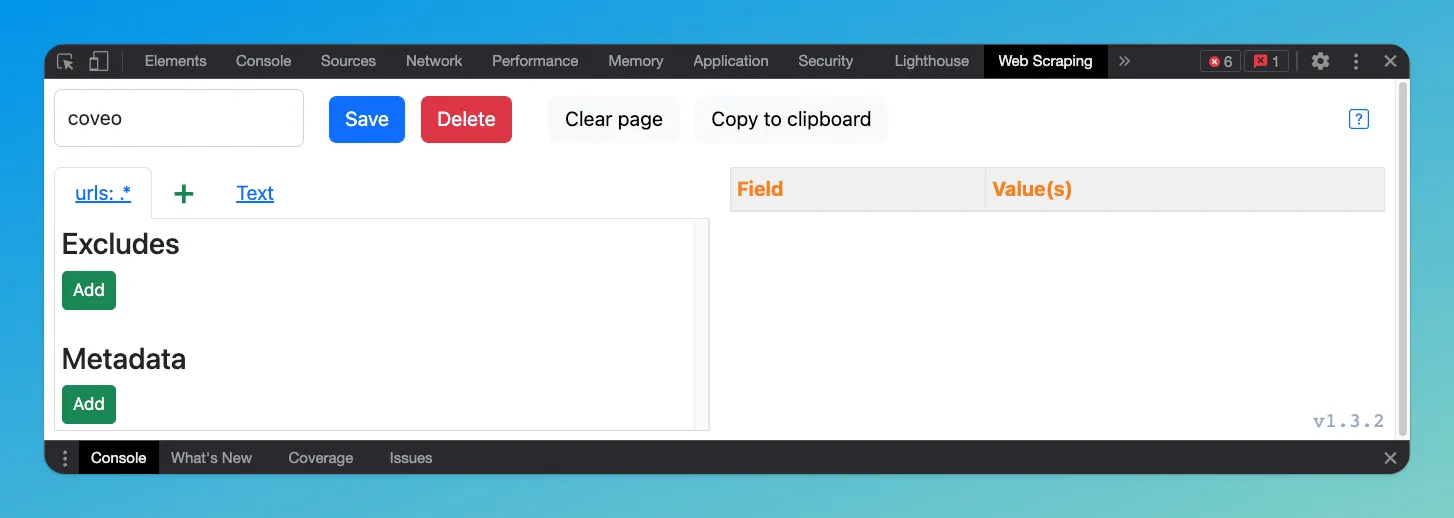
Create new file
While optional, creating a file per site per source is helpful for keeping things organized.
Start selecting DOM elements to exclude
Using the developer tools DOM selector, explore the render HTML and select the items you want to extract, or in this case exclude. Enter the CSS selector and the plugin will update the current render to show you a preview of what you exclude.
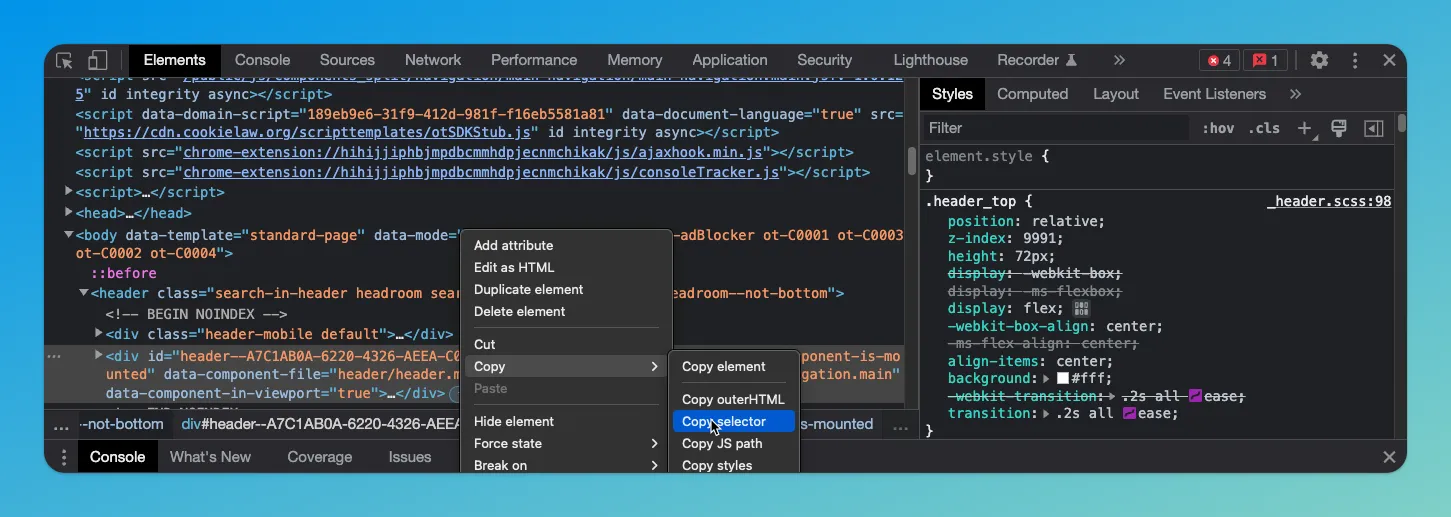
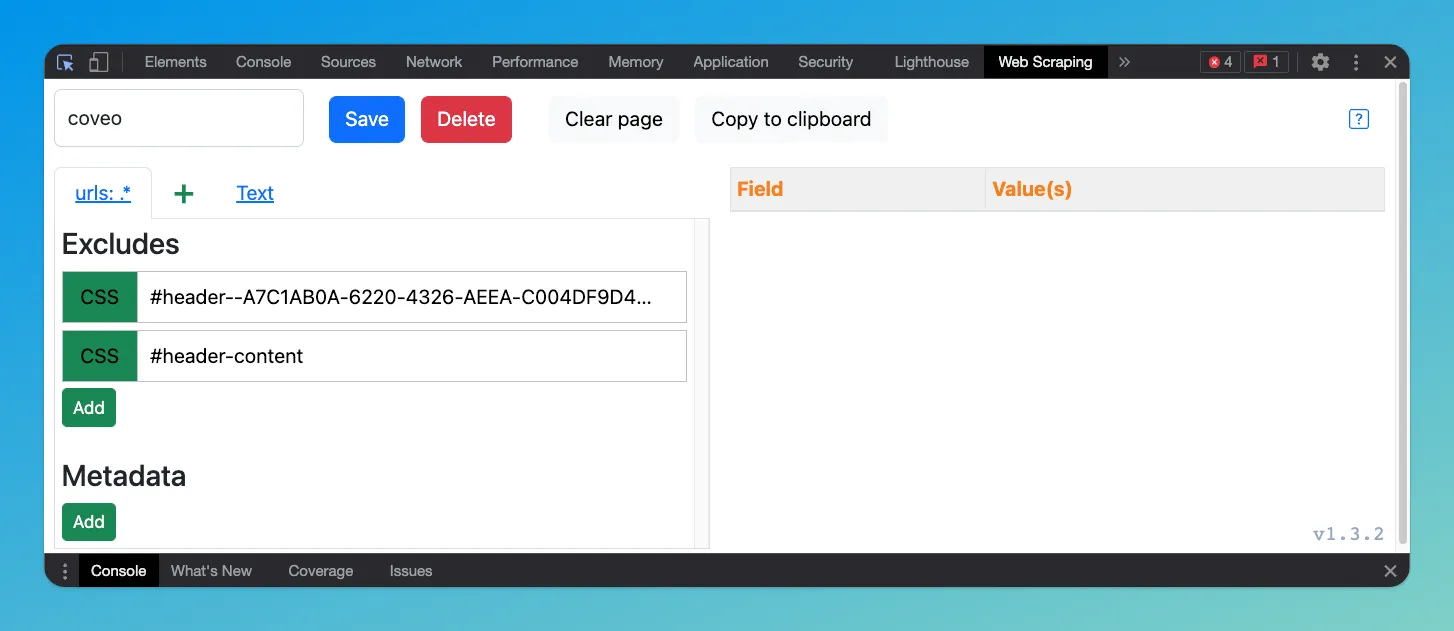
Best practice is to exclude repeative or noisy content (header, footer, main navigation). Also you might want to dig into the HTML and make sure you exclude any conditional content (I’m looking at you ‘skip to content’ href).
Extract metadata to Coveo fields
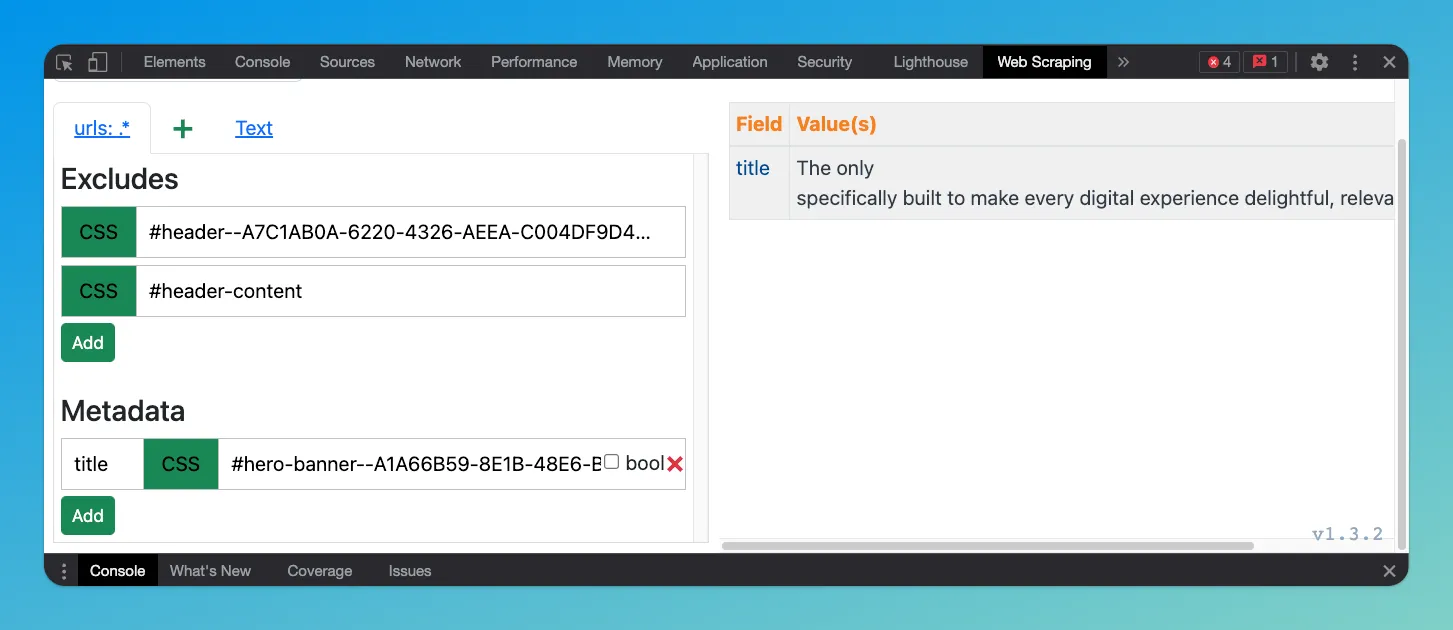
Copy JSON configuration
The plugin generates the JSON configuration you need to update in your Coveo Web or Sitemap Connector to make the required changes to the ingestion process.
[
  {
    "for": {
      "urls": [
        ".*"
      ]
    },
    "exclude": [
      {
        "type": "CSS",
        "path": "#header--A7C1AB0A-6220-4326-AEEA-C004DF9D42DE"
      },
      {
        "type": "CSS",
        "path": "#header-content"
      }
    ],
    "metadata": {
      "title": {
        "type": "CSS",
        "path": "#hero-banner--A1A66B59-8E1B-48E6-B1C2-F65372321C34 > div.hero-container-wrapper > div > div > div.hero-content-col.hero-shape.homepage-hero-content-col.hero-content-col-in > div > h1::text"
      }
    }
  }
]
This JSON is simply copy and pasted into the Web Scraping section of the connector configuration. With a rebuild (recrawl) of the source the changes will be available to use elsewhere inthe platform and in the UI.
Summary
So much of the experience in search is driven by available data. Coveo’s web scraping plugin is a valuable tool because it allows you to enrich your indexed data quickly without having to modify the source system. Now go make engaging and delightful data driven experiences.